
Your iPhone decides how every shot should look before you do.
Vectra records what the sensor saw, in the log curve your edit already uses.
See the grade while you shoot
The file is flat; the viewfinder doesn't have to be. A Rec.709 view assist, or your own .cube LUT, shows roughly where the grade will land, and the controls stay out of the picture until you reach for them.
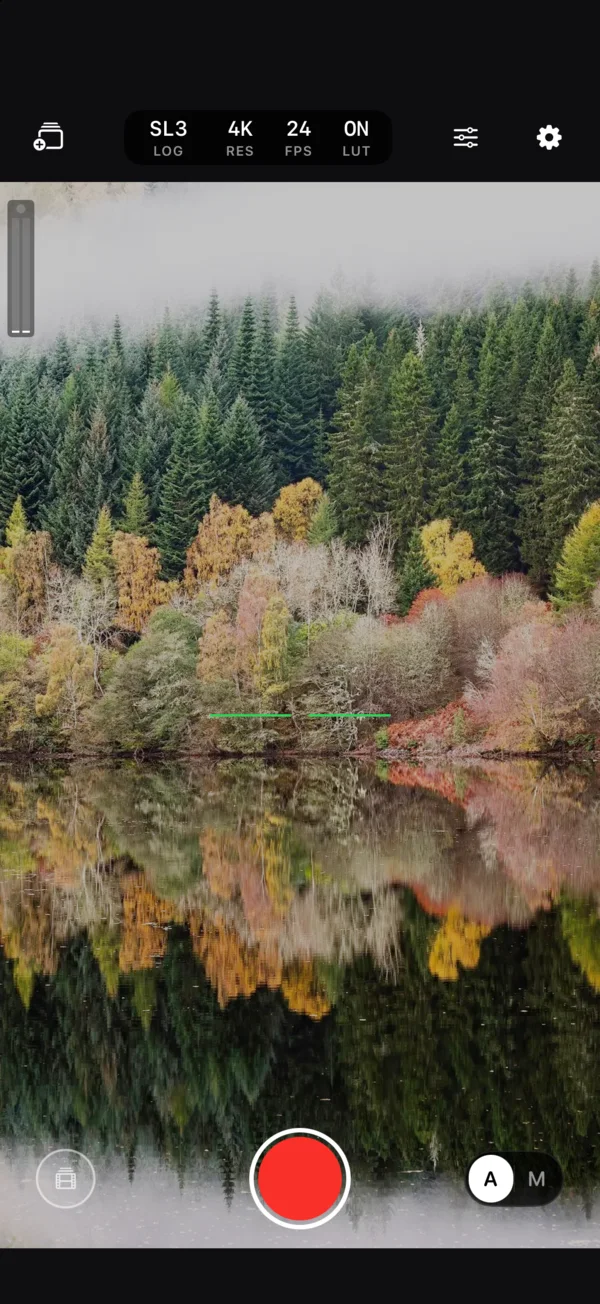
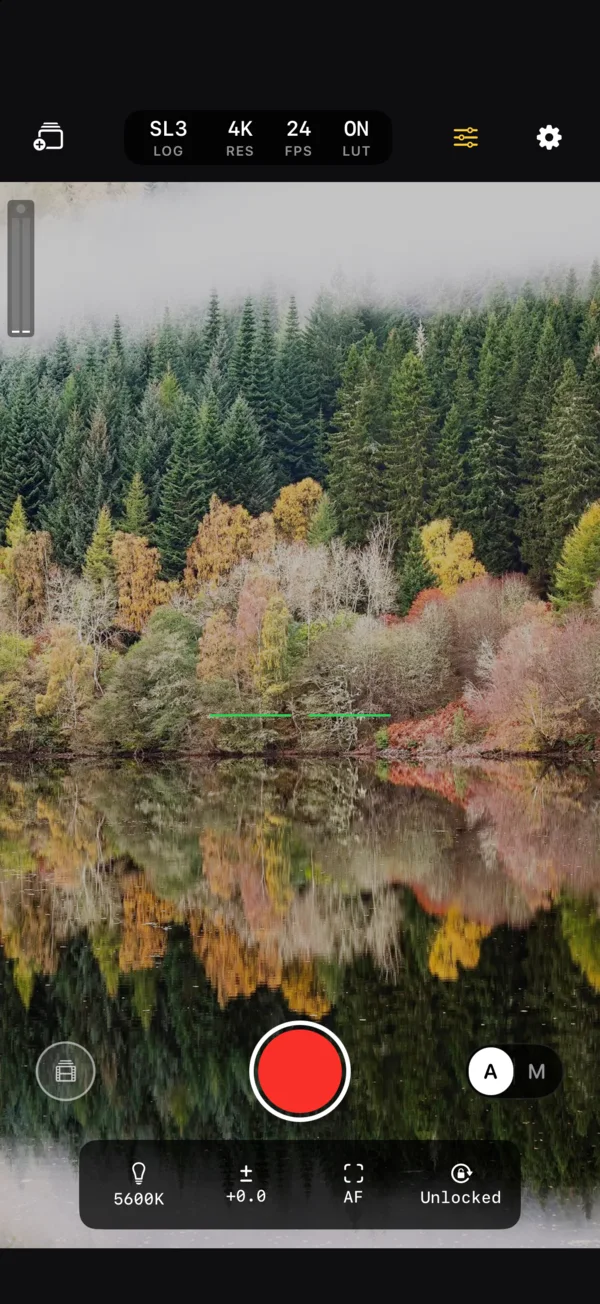
Cut it next to your cinema camera
Pick the log profile of the camera you're matching, from fourteen curves across ten makers. Vectra converts the iPhone's 10-bit signal into that curve and colour gamut on the GPU, so the same LUT and the same grade work on both.
- Apple LogRec.2020492
- S-Log3S-Gamut3.Cine420
- C-Log3Cinema Gamut365
- V-LogV-Gamut433
- LogC3ARRI Wide Gamut 3400
- LogC4ARRI Wide Gamut 4285
- S-Log2S-Gamut347
- D-LogD-Gamut408
The 10-bit code Vectra writes for an 18% grey card, matching each manufacturer's published value. Also on board: Blackmagic Film Gen 5, Canon C-Log and C-Log2, Fujifilm F-Log2, Leica L-Log and Nikon N-Log. iPhone 15 Pro and later start from native Apple Log; earlier models from 10-bit HLG.
Stabilise it in Gyroflow
Every take records the phone's gyroscope and accelerometer, timed to the video frames. In-camera stabilisation stays off, so the motion data describes the image exactly and Gyroflow can do better work than the phone would. If you'd rather not, pick one of Apple's stabilisation modes instead.
- SidecarA .gcsv file next to every clip
- EmbeddedA CAMM motion track inside the .mov
- Tested withGyroflow 1.6.3
Files that hold up in the grade
10-bit HEVC at cinema data rates, saved straight to the Files app and named the way a Blackmagic camera names its clips. Nothing goes through Photos, so nothing gets renamed or recompressed.
- CodecHEVC Main 10, 1-second GOP10-bit
- 4K UHD3840 × 2160120 Mb/s
- Open GateFull 4:3 sensor readout140 Mb/s
- 1080p1920 × 108050 Mb/s
- Frame ratesIncluding PAL 25 and 5024 25 30 50 60
Also on board: manual ISO, shutter angle and white balance, Rec.709 view assist or your own .cube LUT, false colour, zebras, focus peaking, frame guides, audio meters with a limiter, and timecode.
Run every camera from one Mac
Vectra Studio is a companion app for the Mac. Put an iPhone on each angle and run the shoot from your desk: watch every live picture, roll all cameras at once, ride exposure, and light the tally so the talent knows which camera is live.
- PreviewLive picture from every camera, through the same view assist as the phone
- ControlRecord, ISO, shutter, white balance, focus and tally, per camera or all at once
- PairingA one-time 6-digit code from the phone; after that the Mac reconnects on its own
- PrivacyEncrypted end to end, over your own network only. No account, no cloud
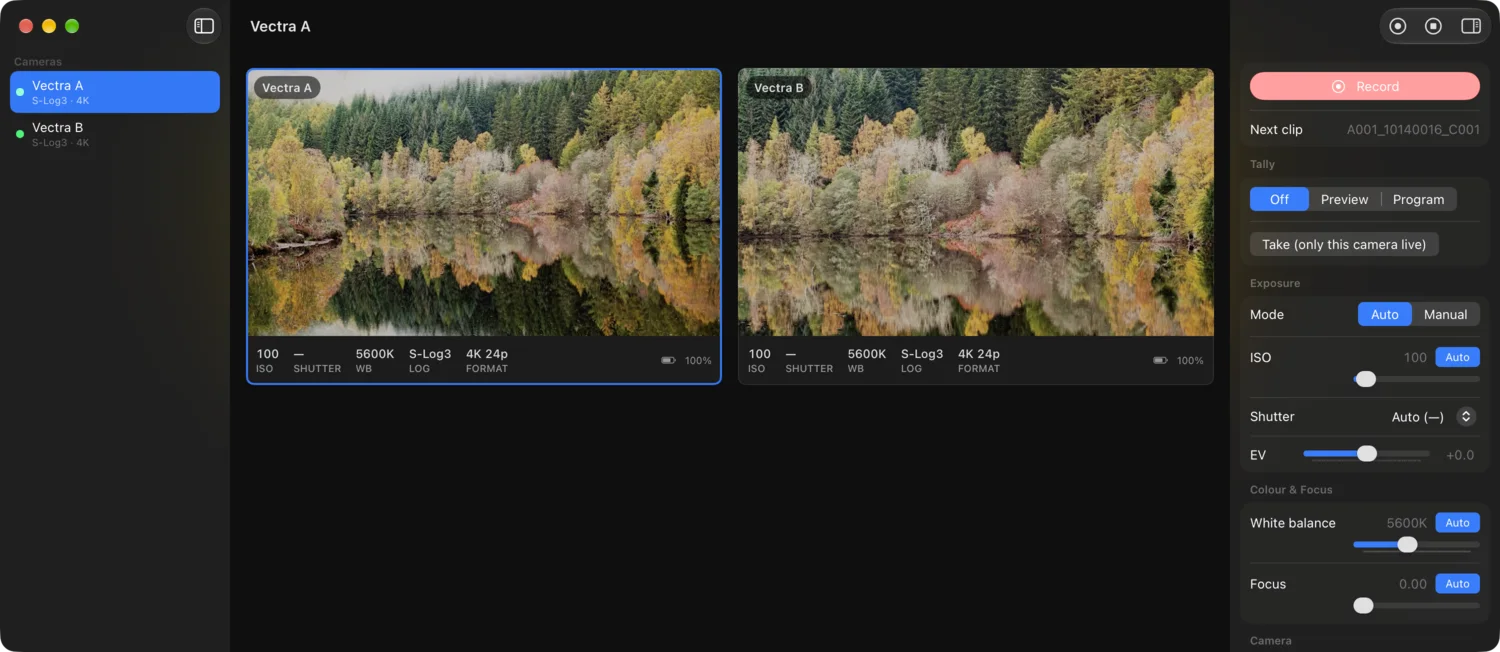
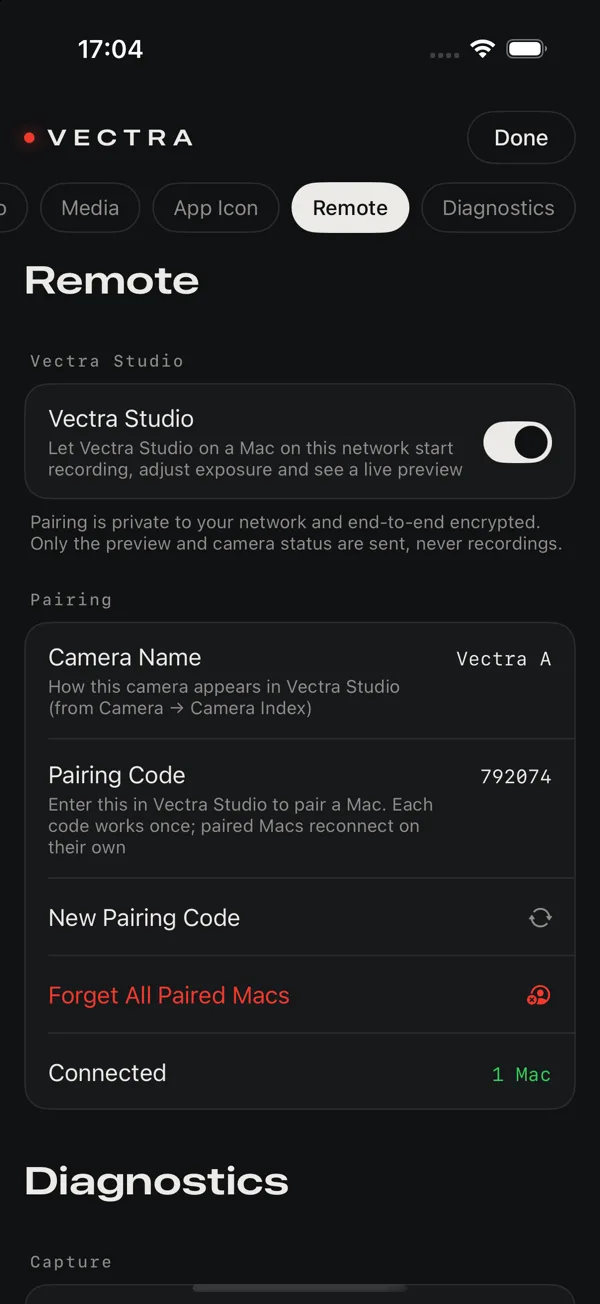
Turn it on in Settings → Remote, open Vectra Studio on a Mac on the same network, and enter the code.